Mediastar TV Remote turns Android phones into functional TV remotes
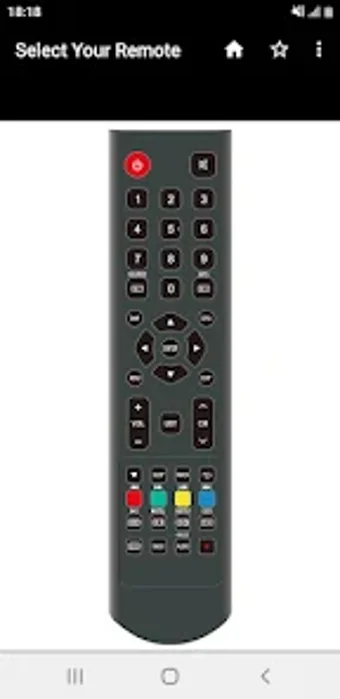
Experience Mediastar TV Remote by TechCodes, a compact utility that converts an Android phone into a Mediastar remote. The app uses the phone's Infrared (IR) blaster to send hardware commands for power, volume, channel control, numeric channel entry, and on-screen menu navigation without pairing. It provides zero-configuration setup, multi-language support across over 100 languages, customizable color themes, and a lightweight installation footprint. Owners of Mediastar TVs or satellite receivers with IR-equipped Android phones gain an immediate, offline remote replacement.
How does it communicate with your TV?
Moreover, the app operates by emitting standard infrared signals through the phone's built-in transmitter, so it controls TVs and satellite receivers without network links. The app exposes a familiar remote layout that includes Power, Volume, Channel, Mute and a numeric keypad, and it supports direct on-screen navigation.
- Direct IR transmission, no pairing required
- Numeric channel entry for fast tuning
- Menu navigation for settings and guides
Does it affect storage or run persistently in the background?
In addition, the developer designed the application with a lightweight footprint to save device storage, reducing the install size compared with larger utility suites. The app requires no persistent network connection and does not need Bluetooth or Wi‑Fi pairing to operate, so it does not generate continuous data traffic. That architecture keeps background activity minimal, making it suitable for users who want a simple spare remote without extra services running.
Is it safe and compatible with my device?
Nevertheless, this is an independent tool rather than an official Mediastar release, and the app declares that explicitly, so users should note the developer relationship before relying on it. Compatibility depends on having a phone with an IR transmitter and on the app's model database, which the developer updates regularly. The app includes a "Request Remote" feature to suggest missing models, which helps if a specific Mediastar receiver or TV is not yet listed.
Do I need technical knowledge to operate it?
Experience here is geared toward non-technical users: the app advertises zero-configuration setup and a conventional button layout so users can point and use immediately. In addition, multi-language support spanning over 100 languages and customizable color themes make the interface accessible across regions and preferences. Advanced configuration is minimal, so typical owners can operate the app without specialist skills, provided their handset supports IR transmission.
Practical choice with a clear hardware limitation
Mediastar TV Remote is a pragmatic choice for Mediastar owners who need an immediate, offline replacement remote; compatibility depends on the presence of a phone IR transmitter. For practical use, confirm your handset's IR capability before relying on the app as your sole control method, and treat the app as a convenient spare while arranging a permanent remote or during device setup.